Bell Riose
November 03, 2024 · 8 min read
What is Pipao? Dynamic QR codes, printed, shipped, and ready to take orders
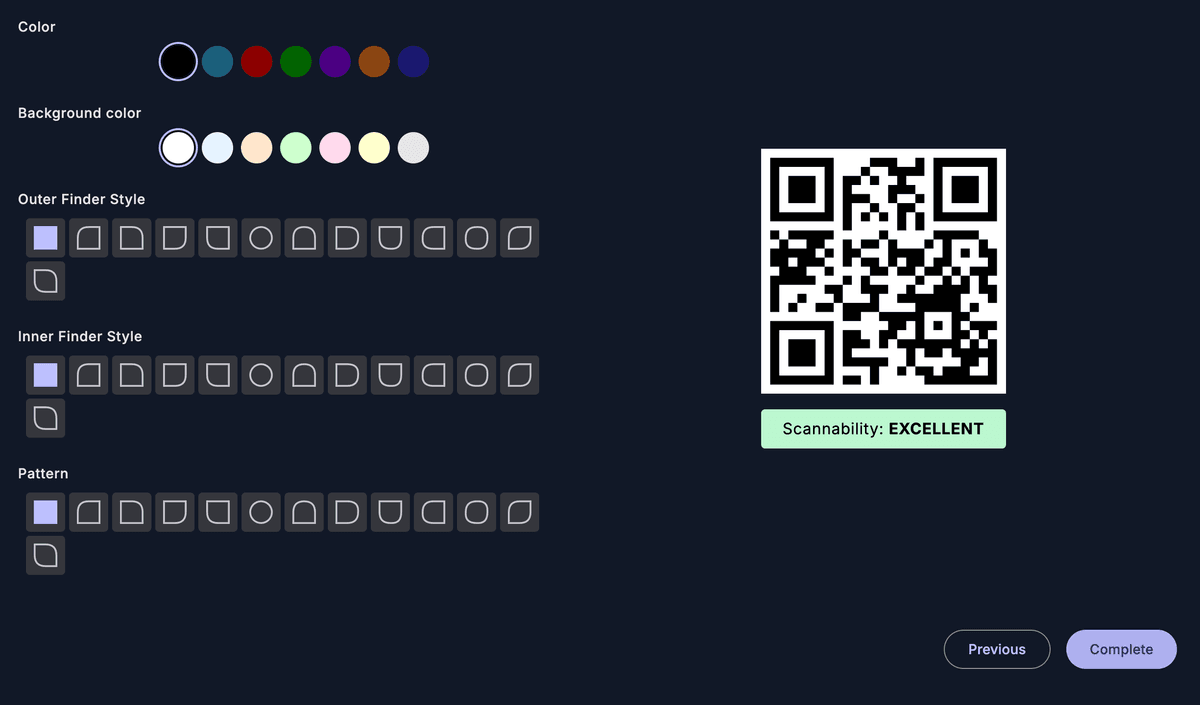
Most QR code generators hand you an image and stop. Pipao goes further on three fronts at once: every code stays editable after printing (no reprint), every code carries scan analytics, and Pipao closes the physical loop by printing and shipping the finished code to your door. For food & drink venues, Premium turns those printed codes into a complete table-ordering system. This post is the map to all of it — start here, then follow the links to go deeper.
What does Pipao actually do?
Pipao does three things a plain QR generator doesn't:
- Dynamic codes you can edit after printing. The printed pattern points to an address you control, not to a destination baked into the image. Change where a code goes — a new link, a new menu, a new event page — and every copy already in the world follows along on the next scan. No reprinting. See Static vs dynamic QR codes: which one do you need?
- Scan analytics on every code. Pipao counts each scan and records its location, device, and timing, so you can see what's working and when. More in QR code analytics: understanding your scan data.
- Design-to-doorstep printing. Create, customize, pick a print template, buy, and Pipao prints and ships the physical code to you. No other QR tool delivers the finished product. Walkthrough: Dynamic QR codes, printed and shipped to your door.
On top of that, Pipao supports 11 QR code types and, on Premium, a full food & drink table-ordering system. We'll cover both below.
How is Pipao different from a generic QR code generator?
A generic generator gives you a static image and leaves you on your own for everything after that. Pipao keeps the code editable, tracks scans, ships the physical product, and adds table ordering. Here's the side-by-side.
| Capability | Generic QR generator | PipaoPopular |
|---|---|---|
| Editable after printing (no reprint) | ||
| Scan analytics (count, location, device, timing) | Sometimes | |
| Printed & shipped to your door | ||
| Food & drink table ordering | ||
| Number of QR types | Varies | 11 |
| Branding & print templates | Sometimes | |
| One platform, idea to physical product |
If you're weighing Pipao against a specific tool in the link-shortener category, see Pipao vs Bitly for QR codes: which should you use?
How does the design-to-doorstep loop work?
Design-to-doorstep is the full physical loop, handled end to end on one platform — no separate designer, print shop, or courier to coordinate.
- 1
Create
Pick one of 11 QR types — URL, Table, WiFi, vCard, Geo, SMS, Email, Phone, Event, Text, or Crypto — and point it where you need. Keep it dynamic so the destination stays editable.
- 2
Customize
Add your logo, colors, and branding so the code looks like yours. For codes that get scanned reliably, see Designing QR codes that people actually scan.
- 3
Choose a print template
Select a ready-made layout for the physical product — a table tent, a sticker, a card.
- 4
Buy
Order it as a one-time purchase, or as part of a venue's set of table codes. No subscription needed to print and ship.
- 5
We print & ship it
Pipao prints and dispatches the finished code to your door.
- 6
Edit anytime
Point the code somewhere new whenever you need, and watch scans roll in. The printed code never goes stale.
What types of QR codes can I make?
Pipao supports 11 QR code types, and any of them can be dynamic and tracked:
- URL — point to any web page.
- Table — link a physical table to a menu and ordering (the heart of the food & drink system).
- WiFi — let guests join your network with a scan.
- vCard — share full contact details in one tap.
- Geo — drop a map location.
- SMS — pre-fill a text message.
- Email — pre-fill an email.
- Phone — dial a number directly.
- Event — share event details and add-to-calendar info.
- Text — display a plain block of text.
- Crypto — share a wallet address for payment.
Not sure which to reach for? Start with What are the different types of QR codes? A complete guide, then grab some inspiration from 5 creative ways to use dynamic QR codes.
Who is Pipao for?
Pipao serves two very different jobs with the same core platform — and two different ways to buy.
Event and individual creators
A DJ, photographer, planner, or anyone running a one-off campaign wants a single branded code shipped to them — fast. Start free, design it, order it as a one-time purchase, and have it in hand for the gig. If the link or page changes a week before, you edit it; the printed code already in your hand still works. No subscription required. See what's possible on the events page.
Food & drink venues
Cafés, fast food spots, ice cream shops, restaurants, and shisha lounges need printed table codes that link to a live menu. With Pipao Premium, each table gets its own code wired into a complete contactless ordering system. Change a price or swap an item? Edit the menu; every printed table code reflects it instantly — no reprinting laminated menus. See the restaurants page for the full picture.
Transactional: try fast, buy fast. Start free, design a branded code, and order it as a one-time purchase — no recurring plan. Perfect for a gig, a shoot, or a single campaign.
Recurring: Premium at $9.99/mo unlocks the table-ordering system, with per-table codes wired into menus and live order tracking. Ideal for an ongoing dining room or counter.
What does Premium add?
Premium ($9.99 per month) unlocks Pipao's headline feature: a white-label food & drink table-ordering system. It turns your printed table codes into a full contactless ordering experience:
- Menus — build them with categories, products, and promotions.
- Per-table QR codes — every table gets its own code, so orders arrive tagged with where they're from.
- Live order tracking — watch orders come in and update their status in real time.
Because the codes are dynamic, editing the menu updates every table instantly — no reprinting. The free plan still creates dynamic codes and shows scan analytics; Premium is what adds ordering.
What do the plans cost?
Pipao keeps pricing simple:
| Plan | Free | PremiumPopular | Enterprise |
|---|---|---|---|
| Price | Free | $9.99 / month | Custom |
| Create dynamic QR codes | |||
| Scan analytics | |||
| Print & ship a code (one-time purchase) | |||
| Food & drink table-ordering system |
How do I get started?
Three steps, and the first code takes under a minute.
- Open your dashboard and create a code — pick Table for a venue, URL or Event for a campaign.
- Keep it dynamic and customize the branding so it's editable and looks like yours.
- Order it printed and shipped, then edit the destination and read your scan data anytime.
Ready to create your first QR code?
Start free, create a dynamic code in under a minute, and order it printed and shipped whenever you're ready.
No credit card required
Frequently asked questions
What is Pipao?
Pipao is a platform for dynamic QR codes — codes you can edit after printing, with scan analytics built in. It also closes the physical loop: you design a code, choose a print template, buy it, and Pipao prints and ships the finished code to your door. On Premium, Pipao adds a food & drink table-ordering system with menus, per-table codes, and live order tracking.
What types of QR codes can I make with Pipao?
Pipao supports 11 QR code types: URL, Table, WiFi, vCard, Geo, SMS, Email, Phone, Event, Text, and Crypto. Each one can be dynamic, so you can edit where it points after it's printed, and each one tracks scans.
Is Pipao free, and do I need a subscription?
Pipao is free to start — you can create dynamic QR codes and view scan analytics on the free plan. Ordering a printed-and-shipped code is a one-time purchase that does not require a subscription. Premium is $9.99 per month and unlocks the food & drink table-ordering system. Enterprise pricing is custom.
How is Pipao different from a generic QR code generator?
A generic generator hands you an image and stops. Pipao codes stay editable after printing, track scans by count, location, device, and timing, and can be printed and shipped to your door as a finished product. Pipao also includes a white-label food & drink table-ordering system — none of which a plain generator offers.
Who is Pipao for?
Two groups. Event and individual creators — DJs, photographers, one-off campaigns — who want a single branded code shipped to them as a one-time purchase. And food & drink venues — cafés, fast food, ice cream shops, restaurants, shisha lounges — that want per-table codes wired into a live ordering system on Premium.
What does Premium add over the free plan?
Premium ($9.99 per month) unlocks Pipao's white-label food & drink table-ordering system: build menus with categories, products, and promotions, give every table its own QR code, and track orders live as they come in. The free plan still creates dynamic codes and shows scan analytics.